

Getting the most out of HealthPass
Our mission is to help you onboard candidates faster, while maintaining complete accuracy and compliance throughout their employment.
You don’t need more systems - you need one that keeps you moving. That’s why we built HealthPass. It removes the admin overheads, streamlines every step, and frees your team to focus on other work.
Customisable onboarding, complete at their convenience
Give every worker a personalised onboarding experience without adding extra steps. Your onboarding questionnaire can be customised to create tailored questions for each role and lets HealthPass convert responses into ready-to-use data for forms, checks, and verifications.
Automated compliance collection
HealthPass analyses each answer in real time and generates the required document tasks automatically.
No chasing. No delays. Just smooth, hands‑free compliance.
Collect everything you need in one place
Registration board checks
References
Compliance documents
Hospital document templates
Criminal record checks
VEVO checks
Contracts
Training certificates
Qualifications
And more…
Paperless paperwork
This is usually the moment candidates face a mountain of paper.
Not anymore.
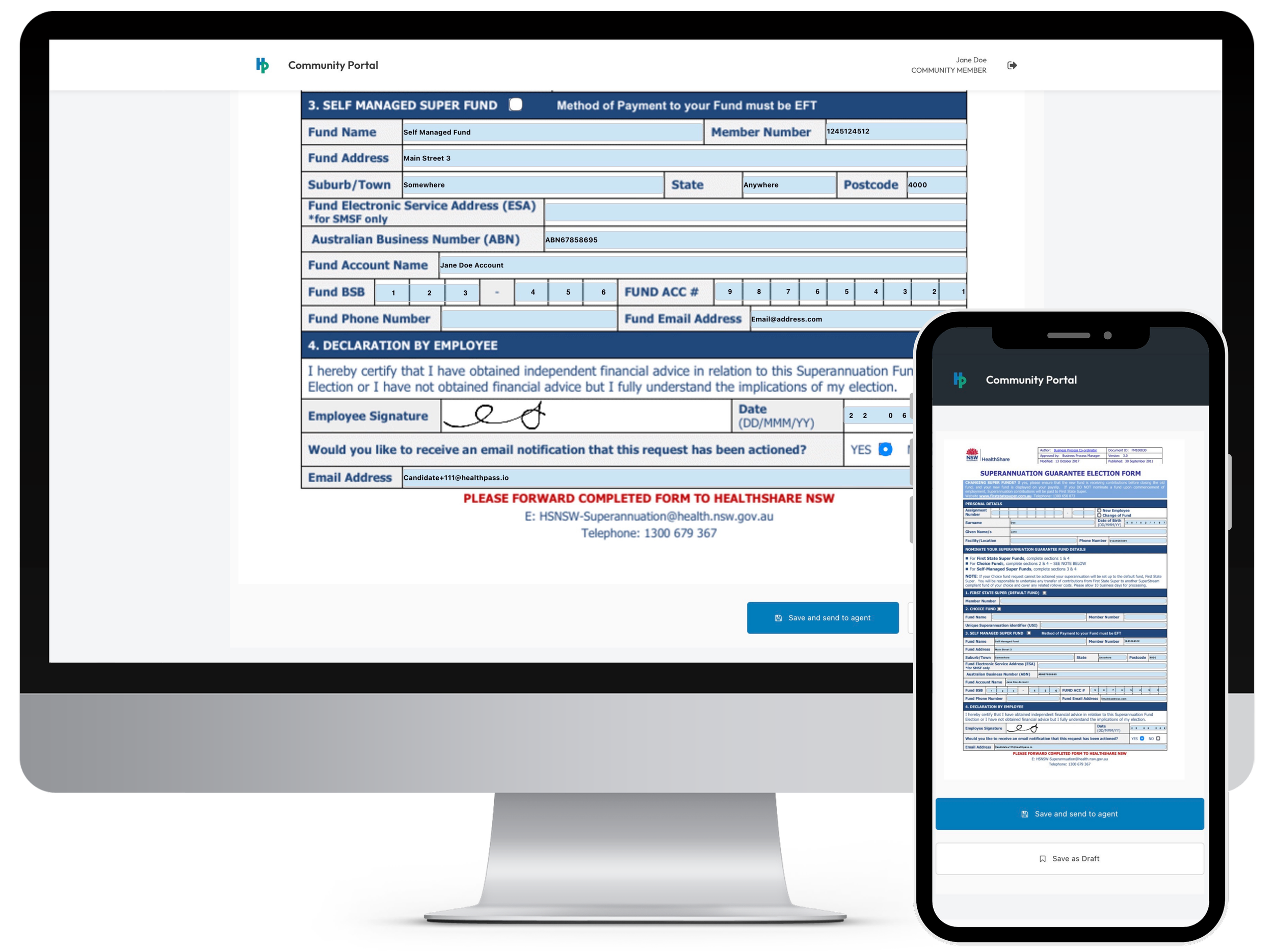
Your hospital document templates are automatically pre‑populated using the candidate’s questionnaire responses.
All they need to do is log in, review the pre‑filled document, complete any remaining fields, and sign with a one‑click digital signature.
A single place to help your candidates stay organised
The Community Portal gives candidates a single, organised place to manage their entire onboarding journey. They can complete their questionnaire, finalise pre‑filled documents, upload compliance files, and update personal information - all within one easy, user‑friendly portal.
Maintain workforce compliance
Onboarding may end, but compliance doesn’t.
HealthPass tracks expiring documents in the background and sends automatic update requests - keeping you compliant without the admin burden.
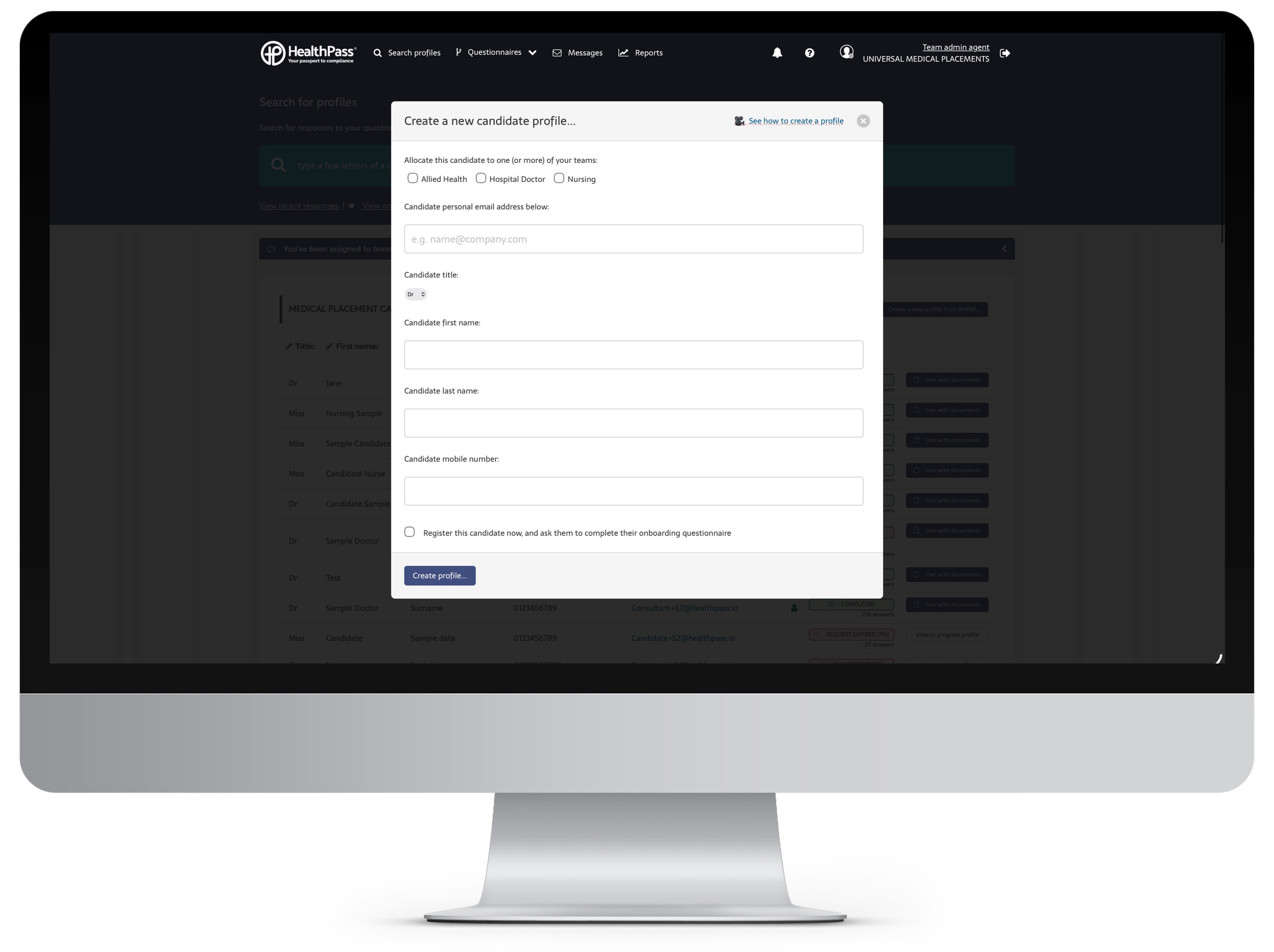
Candidate enters your pipeline
You create their profile and invite them to the Community Portal.
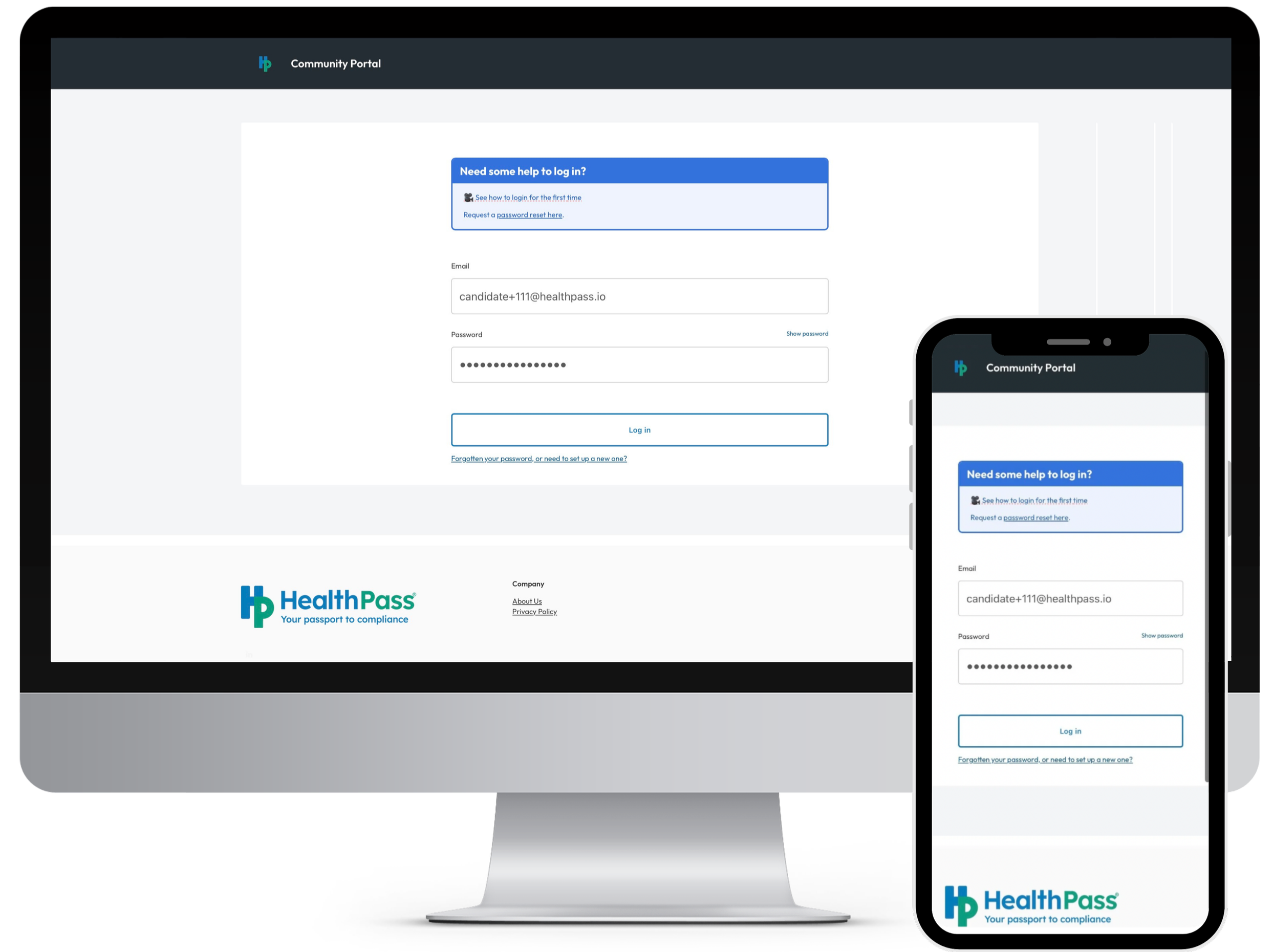
Candidate receives invite
They set up their login and begin their onboarding questionnaire.
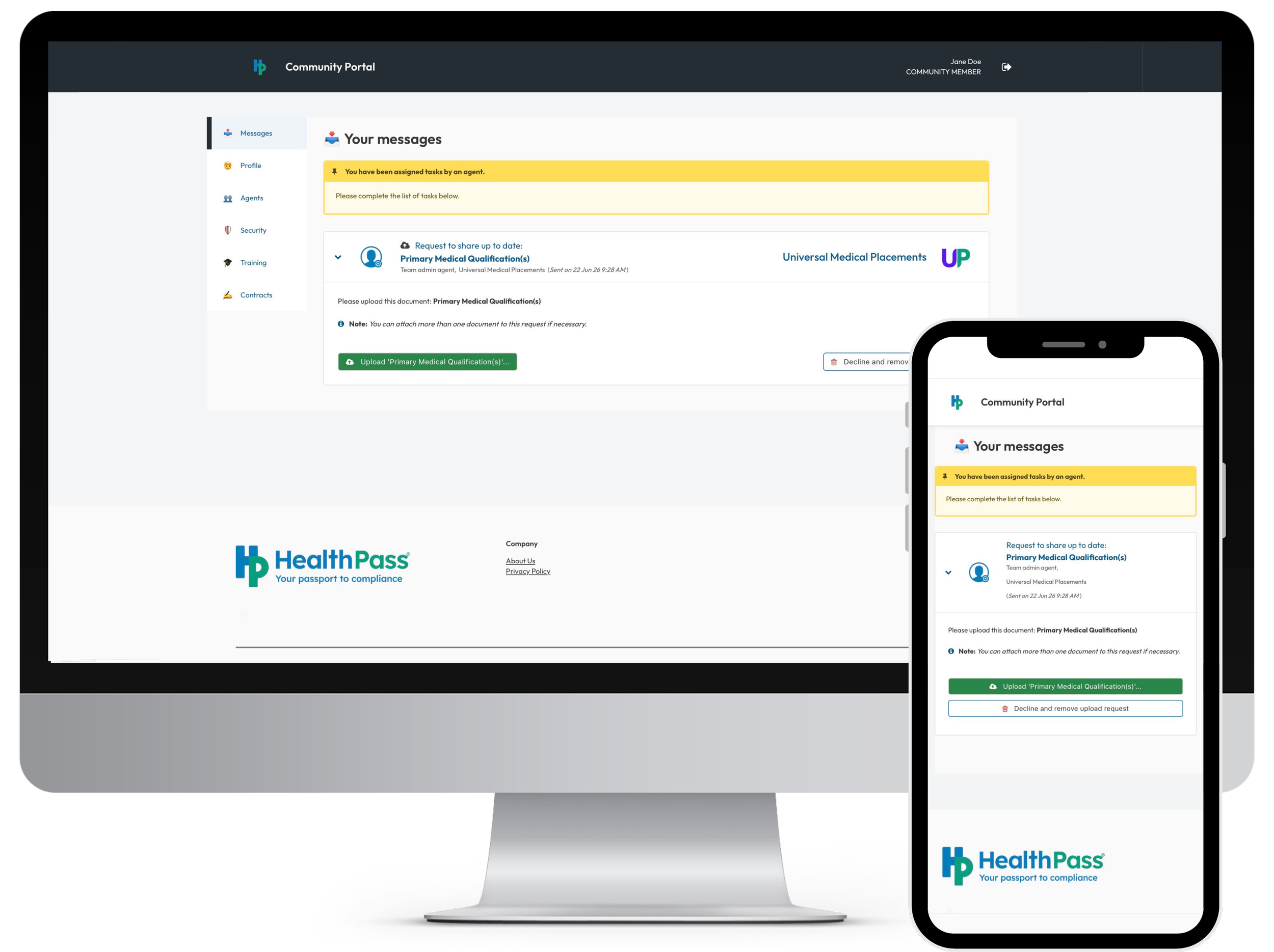
HealthPass gets to work automatically
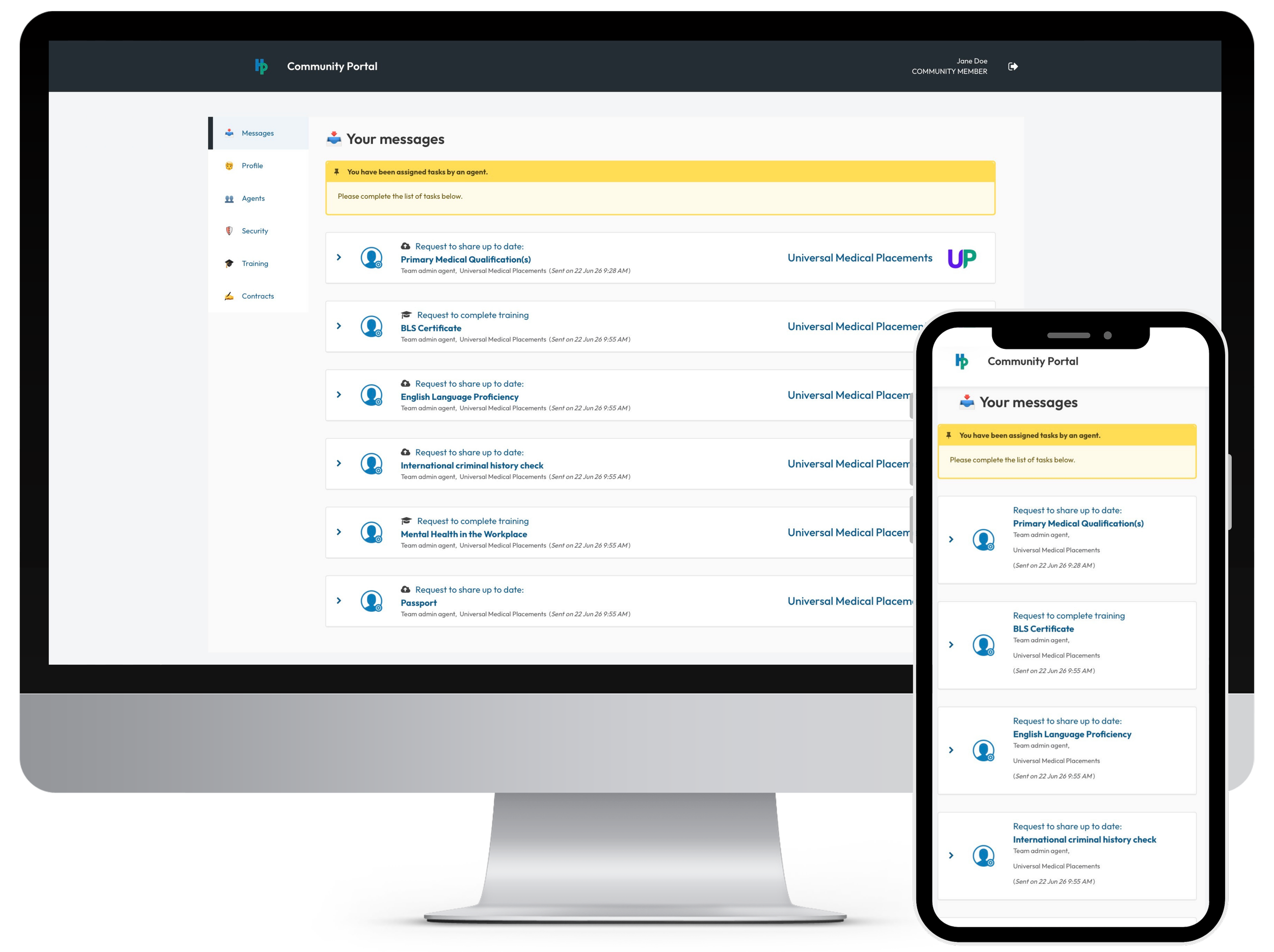
As they answer questions, HealthPass analyses their responses and instantly sends the necessary compliance document requests to their portal.
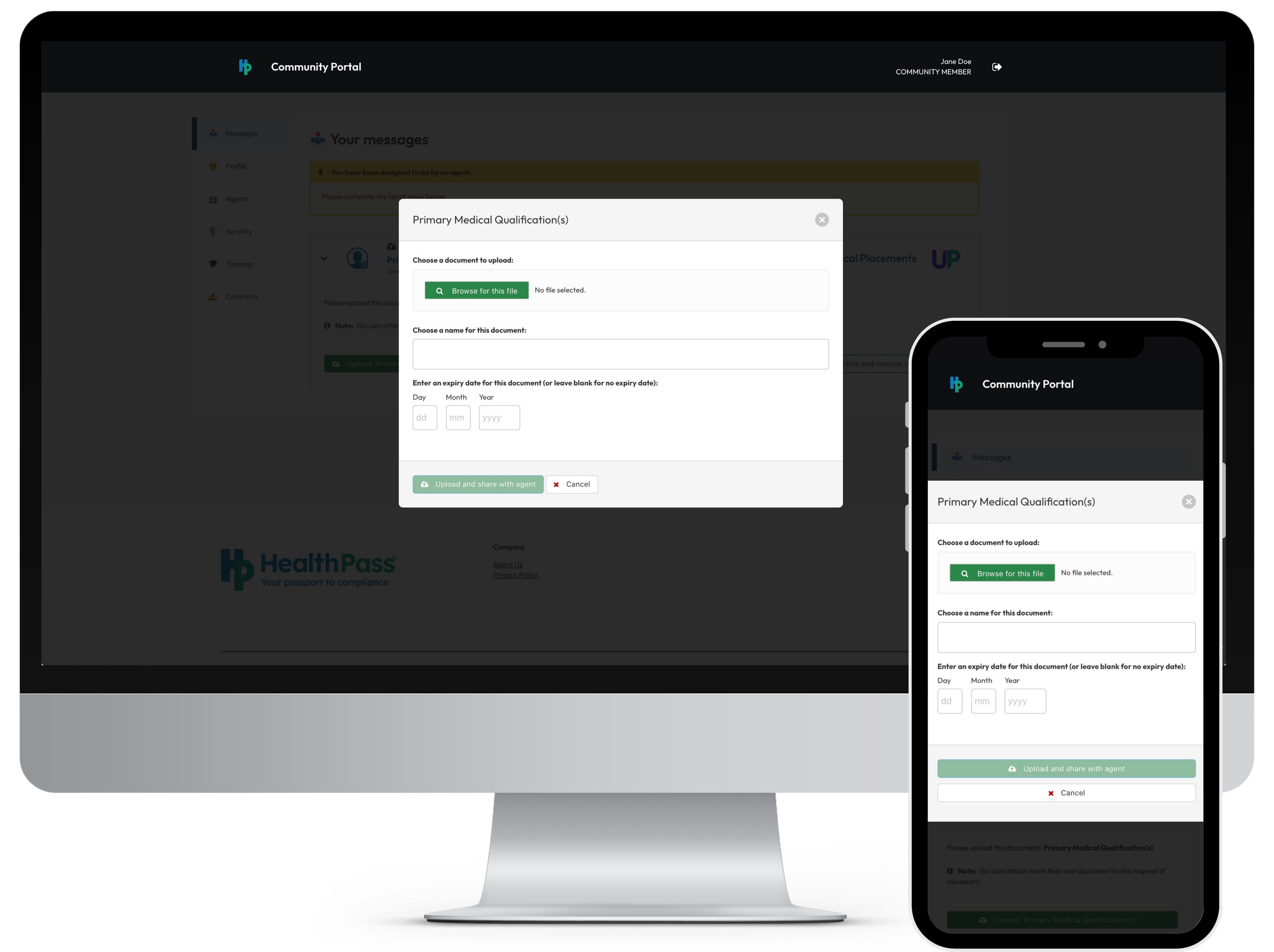
Candidate works through their task list
After completing the questionnaire, they will complete the required compliance document uploads.
Agent reviews the uploads
You then review the documents uploaded against a client’s requirements to check for any gaps. You then send any additional upload or training requests needed to fill those gaps.
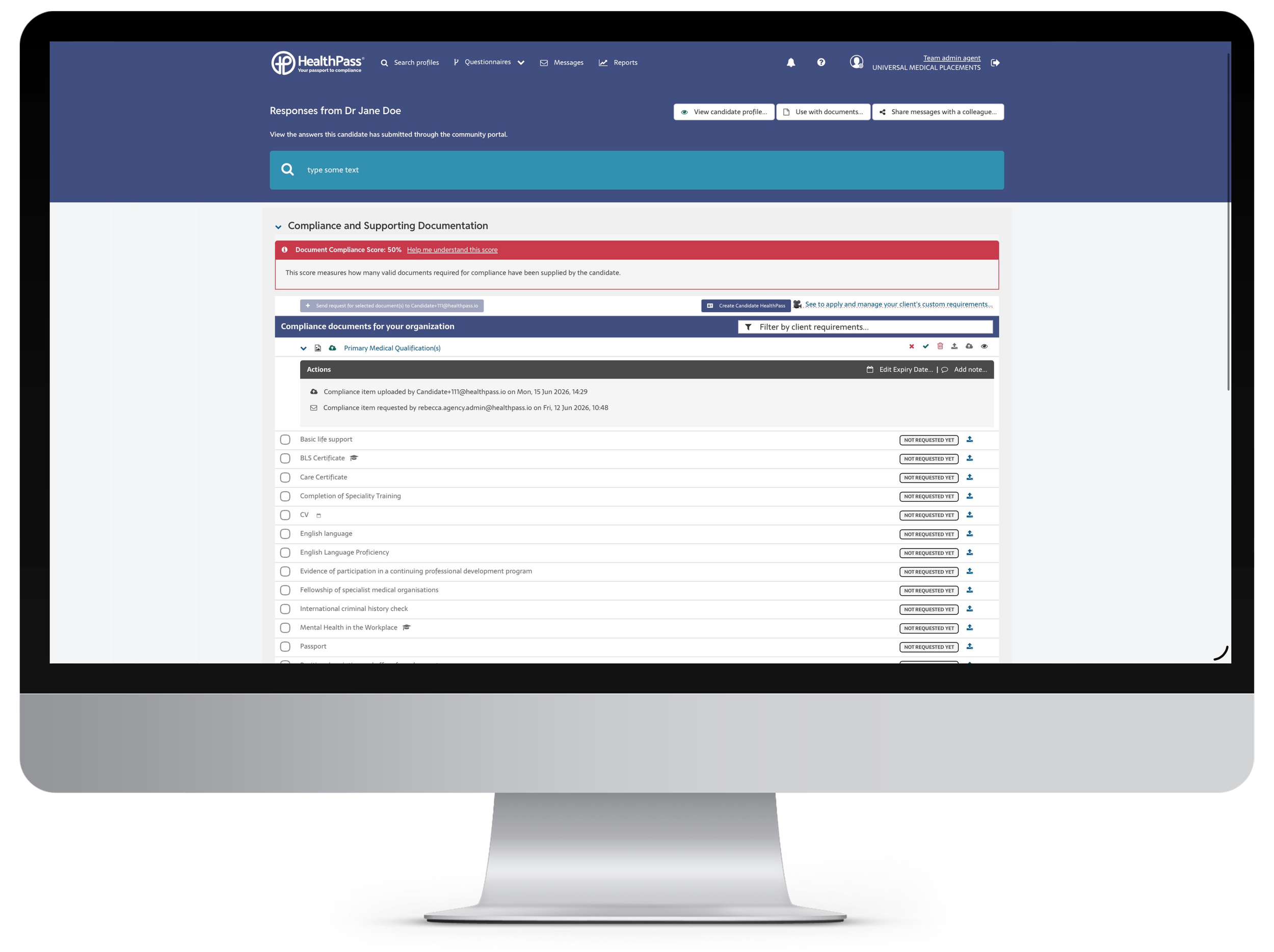
Candidate submits additional compliance uploads
The candidate will upload any additional documents or complete any required training.
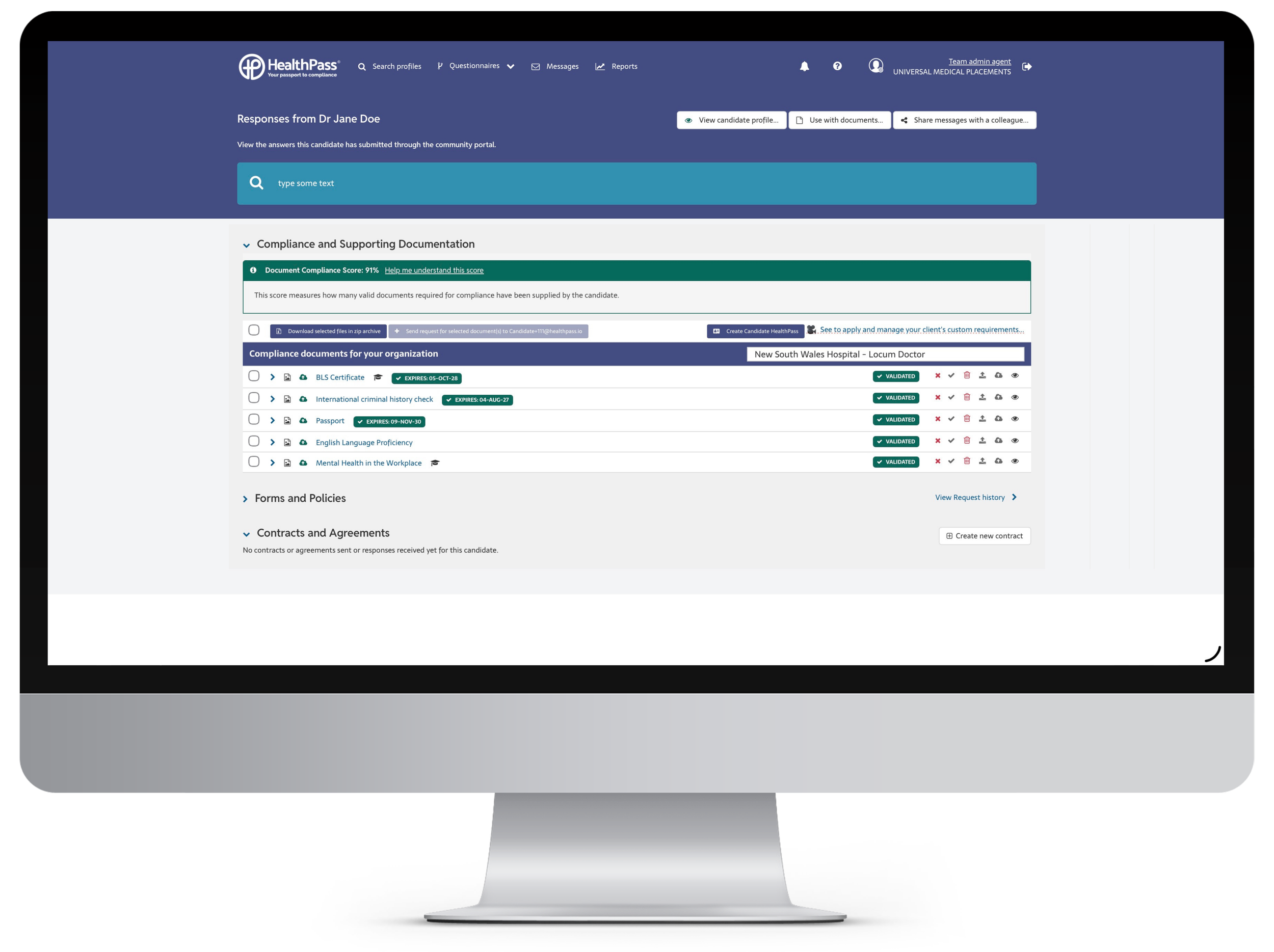
Agent performs review and validation
You review the uploads, return them for edits if needed, resize files, rotate images, crop as required, add verification details, and validate documents with a single click.
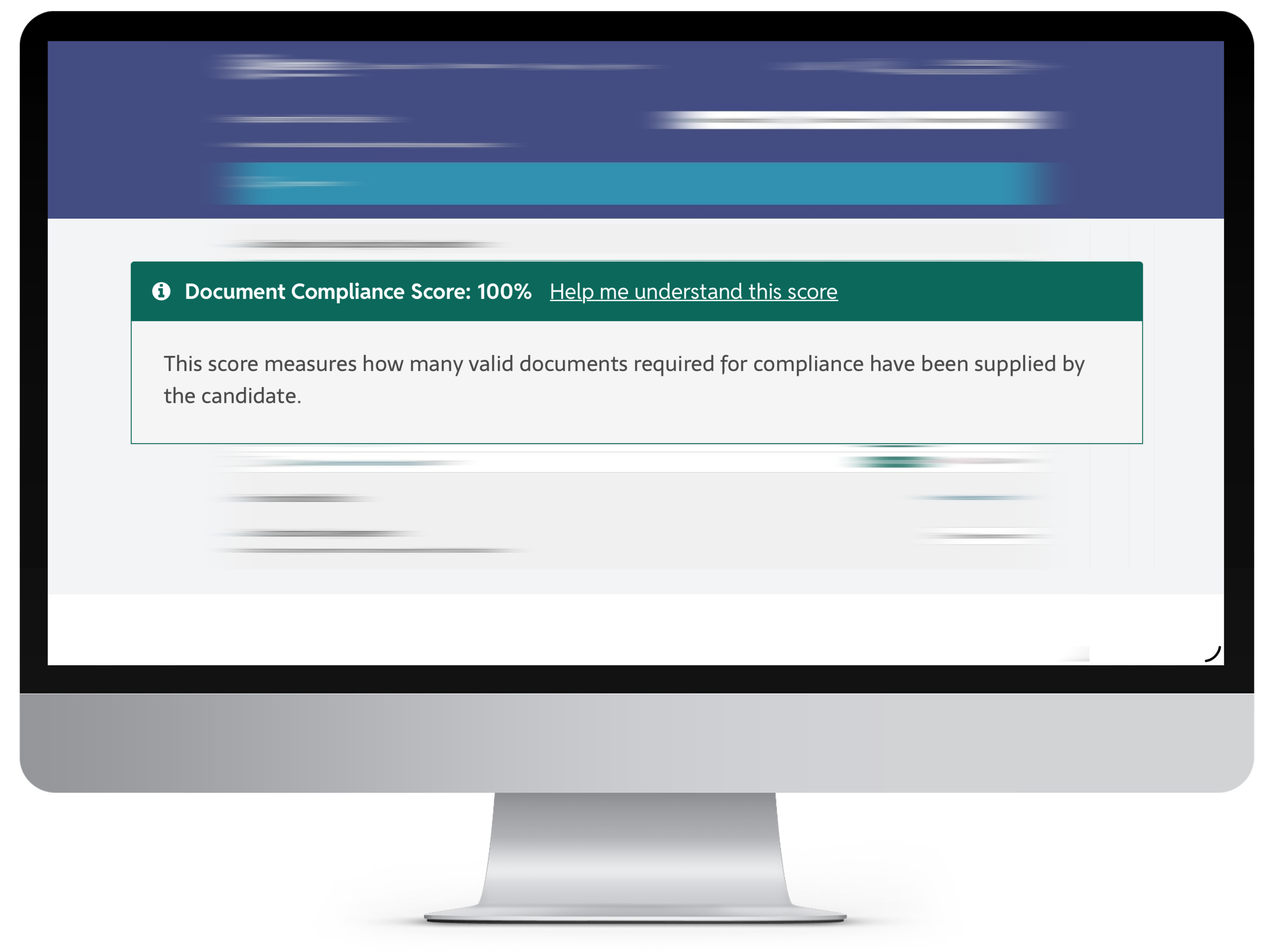
The candidate is ready for placement!!
Send required hospital document templates
Once they are compliant, you send the hospital document templates. HealthPass pre‑populates them using the candidate’s questionnaire data to speed up completion.
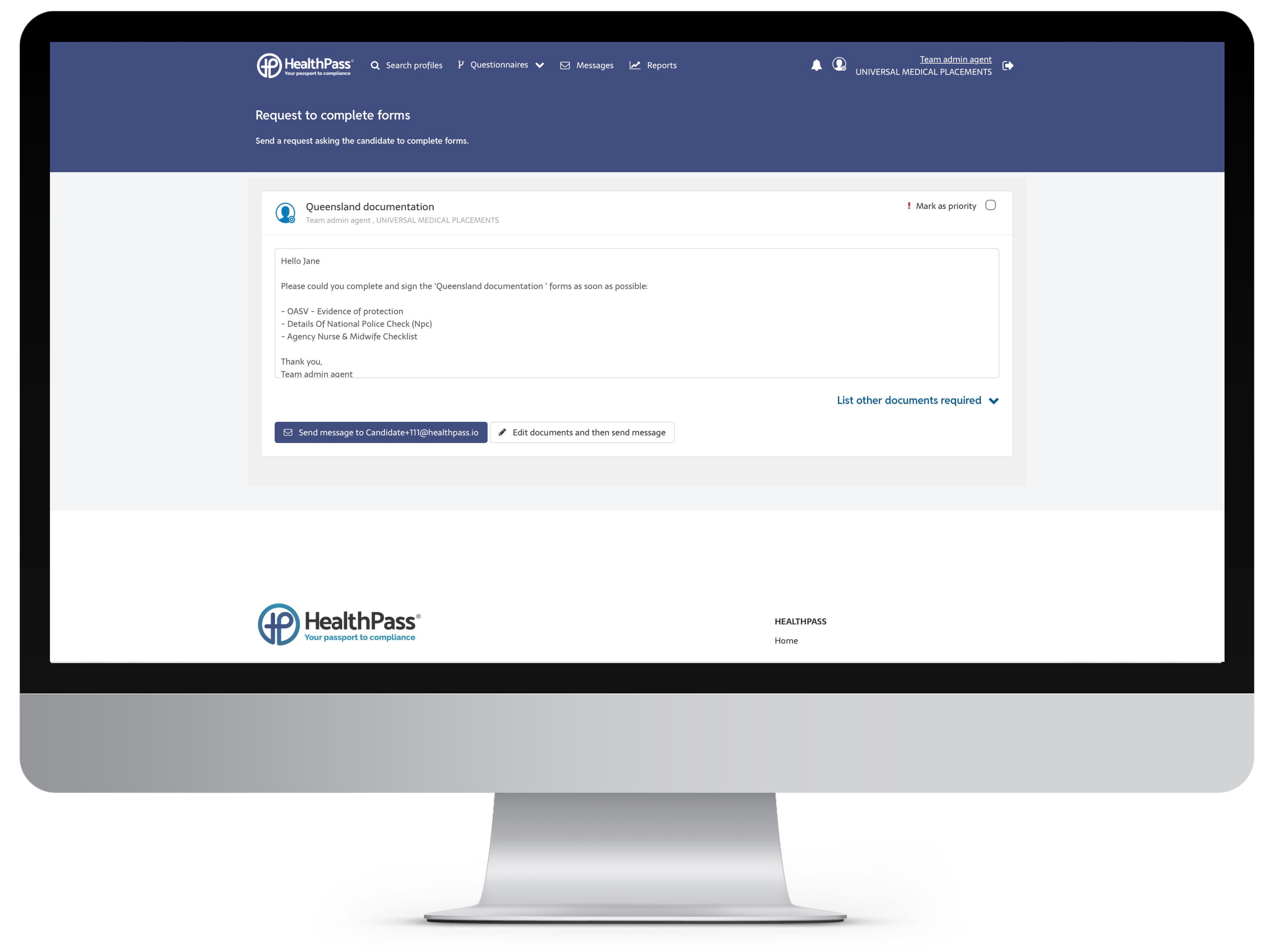
Candidate completes hospital documents
They review the pre-populated documents, fill in any remaining fields, sign with one click signature and return the completed forms to you.
Issue contract to candidate - using your CRM
Add your candidate to the placement in your CRM, then navigate back to HealthPass. Go to Contracts to send the candidate their contract for review and signature, which will be pre‑populated where possible using details from the placement and their profile.
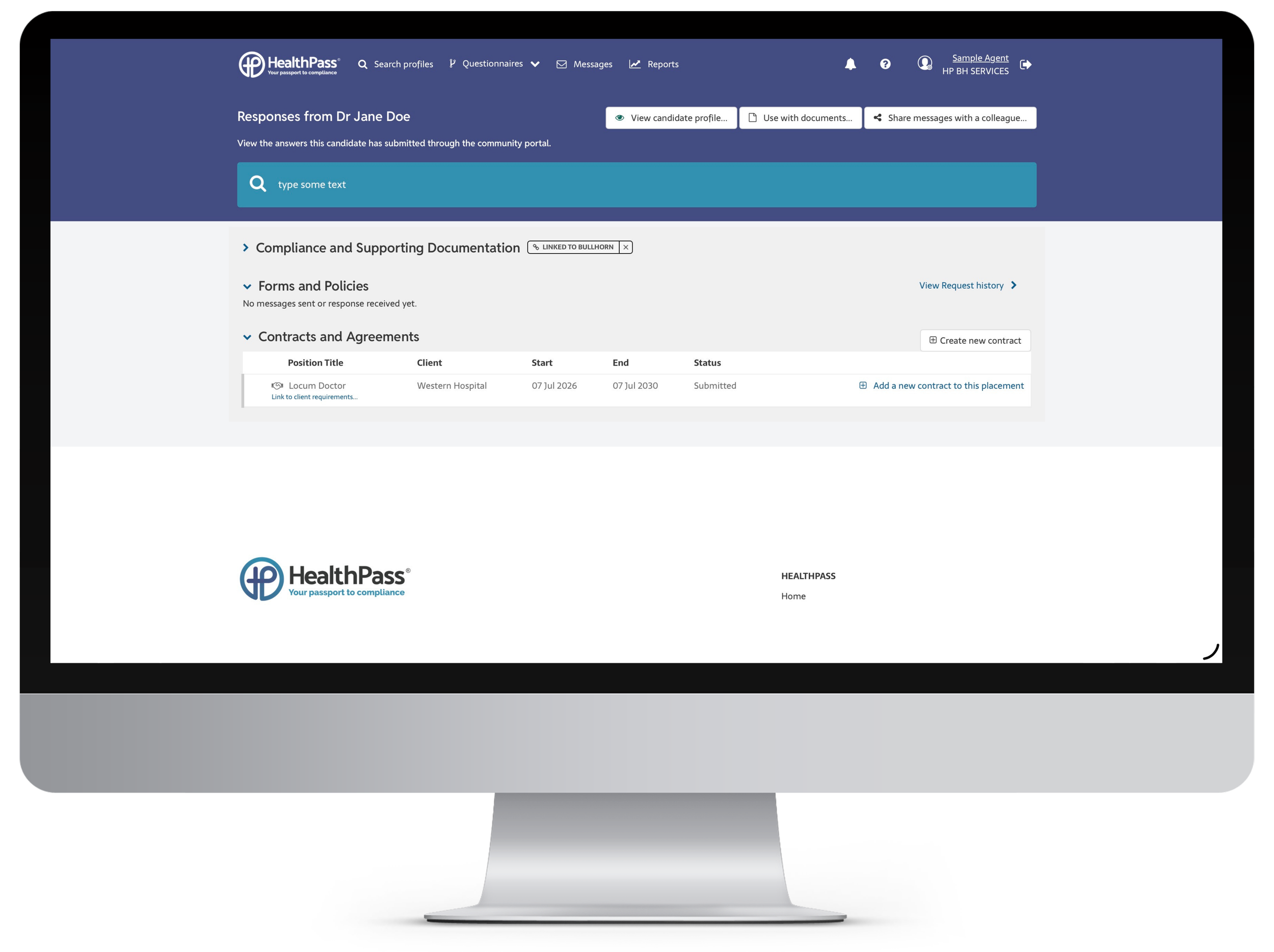
Issue contract to candidate - using HealthPass only
Go to Contracts, where you can send the candidate their contract for review and signature. It will be pre‑populated where possible using details from the candidate profile.
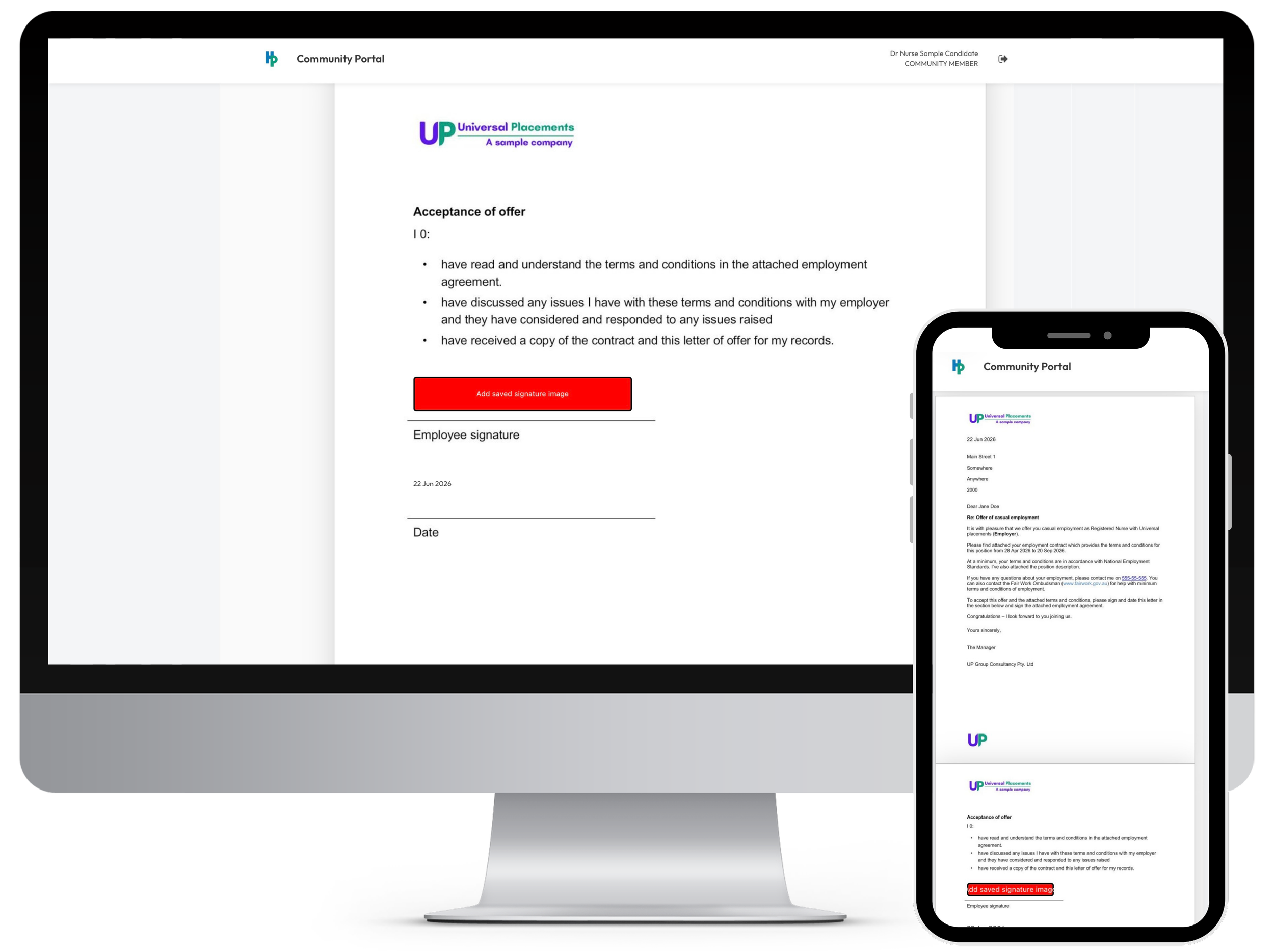
Candidate signs their contract
Using the community portal, the candidate can review, sign, and return their contract, as well as view and download contracts for upcoming and completed placements.
The candidate is now work‑ready.
All compliance is complete, all documents are signed, and the candidate is fully ready to work.